Showing posts with label 4 column template. Show all posts

Friday, December 11, 2009

Blogger Templates: Simple n' Sweet


Simple n' Sweet is a minimalist and extremely flexible template with flexible multiple columns (2, 4, 5, 6, or 7 columns). You can change the columns, all background and font colors, and font types without doing any coding.


The wide sidebar is 300 px wide, perfect for square Adsense boxes. The two narrow sidebars are 132 px wide. All the 3 lowerbar columns are 250 px wide.

Comment Box
To have your comment box function properly, go to Settings > Comments, look for the Comment Form Placement and click on the 'Embedded below post' button. That's all you have to do if you use this template. The codes have already been modified for you. See this post for more detail.

Features
Important: Change your template without loosing any sidebar widgets.
Help links: template installation guides and instructions.

Header Image

To put the header image in your blog, click on the image below to open up a larger size and save it into your computer. Then, upload the image using the Layout > Page Elements > Header Edit tab. If you want to use your own image for the header, the image width has to be 980 pixels (with any height).

Terms of Use
This new XML Blogger template is free but please value our hours of design work by leaving the credit at the bottom of the screen to Ourblogtemplates.com intact. But you can label whatever you want at the blog footer.

Thursday, December 10, 2009

Blogger Templates: Webnolia

Webnolia design is inspired by the award-winning #1 Indian technology blog Digital Inspiration by Amit Agarwal.

It is a minimalist and extremely flexible template with flexible multiple columns (2, 4, 5, 6, or 7 columns). You can change the columns, all background and font colors, and font types without doing any coding.


The wide sidebar is 300 px wide, perfect for square Adsense boxes. The two narrow sidebars are 132 px wide. All the 3 lowerbar columns are 265 px wide.

Comment Box
To have your comment box function properly, go to Settings > Comments, look for the Comment Form Placement and click on the 'Embedded below post' button. That's all you have to do if you use this template. The codes have already been modified for you. See this post for more detail.

Features
Important: Change your template without loosing any sidebar widgets.
Help links: template installation guides and instructions.

Header Image

To put the header image in your blog, click on the image below to open up a larger size and save it into your computer. Then, upload the image using the Layout > Page Elements > Header Edit tab. If you want to use your own image for the header, the image width has to be 980 pixels (with any height).

Terms of Use
This new XML Blogger template is free but please value our hours of design work by leaving the credit at the bottom of the screen to Ourblogtemplates.com intact. But you can label whatever you want at the blog footer.

Friday, October 30, 2009

Blogger Templates: Snowy Winter

Snowy Winter is an extremely flexible template with flexible multiple columns (2, 4, 5, 6, or 7 columns). You can change the columns, all background and font colors, and font types without doing any coding.


The wide sidebar is 300 px wide, perfect for square Adsense boxes. The two narrow sidebars are 132 px wide. All the 3 lowerbar columns are 265 px wide.

Comment Box
To have your comment box function properly, go to Settings > Comments, look for the Comment Form Placement and click on the 'Embedded below post' button. That's all you have to do if you use this template. The codes have already been modified for you. See this post for more detail.

Features
Important: Change your template without loosing any sidebar widgets.
Help links: template installation guides and instructions.

Header Image

To put the header image in your blog, click on the image below to open up a larger size and save it into your computer. Then, upload the image using the Layout > Page Elements > Header Edit tab. If you want to use your own image for the header, the image width has to be 980 pixels (with any height).

Terms of Use
This new XML Blogger template is free but please value our hours of design work by leaving the credit at the bottom of the screen to Ourblogtemplates.com intact. But you can label whatever you want at the blog footer.

Friday, October 23, 2009

Blogger Templates: Werd

OBT User Review:
This is a beautiful thing! I've looked at hundreds of really nice templates many of them have some things I'm looking for but missing others, some are not developed enough for the Blogger editing tool. This one has everything and makes it very flexible and easy to use in Blogger. I'm familiar enough with coding that I can tweak most layouts but sometimes it's nice to be able to use Blogger's editing tool. Thank you so much for taking the time to REALLY make a template that is ACTUALLY for Blogger!
- Lisa

Werd
is an extremely flexible template with flexible multiple columns (2, 4, 5, 6, or 7 columns). You can change the columns, all background and font colors, and font types without doing any coding.


The wide sidebar is 300 px wide, perfect for square Adsense boxes. The two narrow sidebars are 132 px wide. All the 3 lowerbar columns are 265 px wide.

Comment Box
To have your comment box function properly, go to Settings > Comments, look for the Comment Form Placement and click on the 'Embedded below post' button. That's all you have to do if you use this template. The codes have already been modified for you. See this post for more detail.

Features
Important: Change your template without loosing any sidebar widgets.
Help links: template installation guides and instructions.

Header Image

To put the header image in your blog, click on the image below to open up a larger size and save it into your computer. Then, upload the image using the Layout > Page Elements > Header Edit tab. If you want to use your own image for the header, the image width has to be 980 pixels (with any height).


Terms of Use
This new XML Blogger template is free but please value our hours of design work by leaving the credit at the bottom of the screen to Ourblogtemplates.com intact. But you can label whatever you want at the blog footer.

Wednesday, October 21, 2009

Blogger Templates: On The Road

On The Road is an extremely flexible template with flexible multiple columns (2, 4, 5, 6, or 7 columns). You can change the columns, all background and font colors, and font types without doing any coding.


The wide sidebar is 300 px wide, perfect for square Adsense boxes. The two narrow sidebars are 132 px wide. All the 3 lowerbar columns are 272 px wide.

Comment Box
To have your comment box function properly, go to Settings > Comments, look for the Comment Form Placement and click on the 'Embedded below post' button. That's all you have to do if you use this template. The codes have already been modified for you. See this post for more detail.

Features
Important: Change your template without loosing any sidebar widgets.
Help links: template installation guides and instructions.

Header Image

To put the header image in your blog, click on the image below to open up a larger size and save it into your computer. Then, upload the image using the Layout > Page Elements > Header Edit tab. If you want to use your own image for the header, the image width has to be 970 pixels (with any height).

Image Credit: ewallpapers.

Terms of Use
This new XML Blogger template is free but please value our hours of design work by leaving the credit at the bottom of the screen to Ourblogtemplates.com intact. But you can label whatever you want at the blog footer.

Wednesday, October 15, 2008

Blogger Templates: Photoblog III


This free Blogger template photoblog webdesign is based on the Blogger page color theme. Check out these other photoblog templates.

The template image is captured from a 1024 pixels wide screen. This template has 3 'sidebar' columns below the post column. The post column is wide without any other columns next to it. This style is especially great if you want to build a photo blog with lots of large photos and images. Click here to learn how to post large photos and images in your blog.

After reading the 'post large photo' instructions, we recommend that the width you use for this photoblog is 680px, ie, use the code below to post your large photos:


The height will adjust accordingly to keep the original image aspect ratio.

Features
Important: Change your template without loosing any sidebar widgets.
Help links: template installation guides and instructions.

Header Image

To put the header image in your blog, click on the image below to open up a larger size and save it into your computer. Then, upload the image using the Layout > Page Elements > Header Edit tab. If you want to use your own image for the header, the image width has to be 800 pixels (with any height).

Header image adapted from Dual Screen Wallpaper (credit accordingly if use).

Terms of Use
This new XML Blogger template is free but please value our hours of design work by leaving the footer credit to Ourblogtemplates.com intact.

Tuesday, July 29, 2008

Blogger Template: Personal Blog


This is a simple template perfect for a personal blog. There's 1 sidebar column on the right and 3 sidebar columns at the bottom, which not many free blogger templates have. You can use the header image as in the sample blog or your own header image.

Header Image
The header image doesn't come with the template file. To put the header image in your blog, left-click on the image below and save the actual size into your computer. Then, upload the image into the Header Page Element in the Layout section of your blog.

Header image credit: adapted from kivanc.

If you want to use your own image for the header, the image has to be 740 pixels wide (with any height) to fit the header nicely. Click here for more helpful links on template installation guides and instructions.

Terms of Use
The template is free but please value our hours of design work by leaving the footer credit to Ourblogtemplates.com intact.

Friday, July 25, 2008

Blogger Template: Photoblog II


The template image is captured from a 1024 pixels wide screen. This template has 3 'sidebar' columns below the post column. The theme is photoblog - the post column is wide without any other columns next to it. This style is especially great if you want to build a photo blog with lots of large photos and images. Click here to learn how to post large photos and images in your blog.

After reading the 'post large photo' instructions, I'd recommend that the width you use for this photoblog is 810px, ie, use the code below to post your large photos:


The height will adjust accordingly to keep the original image aspect ratio.

Header Image
The header image doesn't come with the template file. To put the header image in your blog, left-click on the image below and save the actual size into your computer. Then, upload the image into the Header Page Element in the Layout section of your blog.

Header image credit: adapted from dmb.

If you want to use your own image for the header, the image has to be 940 pixels wide (with any height) to fit the header nicely. Click here for more helpful links on template installation guides and instructions.

Ads
This template was customized so that you can put ads in a lot of places. In addition to the usual sidebar, header, and main columns, you can place long leaderboard-size ads above and below the blog and above the footer. Check out these ads locations in this test blog.

Terms of Use
The template is free but please value our hours of design work by leaving the footer credit to Ourblogtemplates.com intact.

Wednesday, May 14, 2008

The Pattern


The template image is captured from a 1024 pixels wide screen. This template has 3 'sidebar' columns below the post column. The theme is photoblog - the post column is wide without any other columns next to it. This style is especially great if you want to build a photo blog with lots of large photos and images. Click here to learn how to post large photos and images in your blog.

Header Image
The header image doesn't come with the template file. To put the header image in your blog, left-click on the image below and save the actual size into your computer. Then, upload the image into the Header Page Element in the Layout section of your blog.

Header image credit: adapted from DinPattern.

If you want to use your own image for the header, the image has to be 920 pixels wide (with any height) to fit the header nicely. Click here for more helpful links on template installation guides and instructions.

Ads
This template was customized so that you can put ads in a lot of places. In addition to the usual sidebar, header, and main columns, you can place long leaderboard-size ads above and below the blog and above the footer. Check out these ads locations in this test blog.

Terms of Use
The template is free but please value our hours of design work by leaving the footer credit to Ourblogtemplates.com intact.

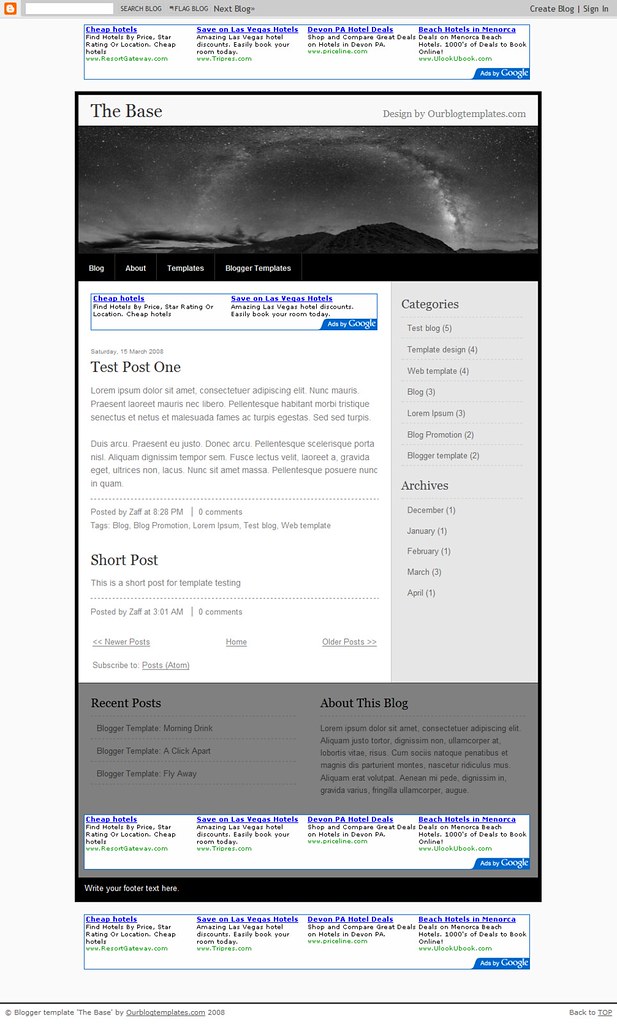
The Lake


The template image is captured from a 1024 pixels wide screen. This template has 3 'sidebar' columns below the post column. The theme is photoblog - the post column is wide without any other columns next to it. This style is especially great if you want to build a photo blog with lots of large photos and images. Click here to learn how to post large photos and images in your blog.

Header Image
The header image doesn't come with the template file. To put the header image in your blog, left-click on the image below and save the actual size into your computer. Then, upload the image into the Header Page Element in the Layout section of your blog.

Header image credit: adapted from eWallpapers.

If you want to use your own image for the header, the image has to be 920 pixels wide (with any height) to fit the header nicely. Click here for more helpful links on template installation guides and instructions.

Ads
This template was customized so that you can put ads in a lot of places. In addition to the usual sidebar, header, and main columns, you can place long leaderboard-size ads above and below the blog and above the footer. Check out these ads locations in this test blog.
Terms of Use
The template is free but please value our hours of design work by leaving the footer credit to Ourblogtemplates.com intact.

Tuesday, May 13, 2008

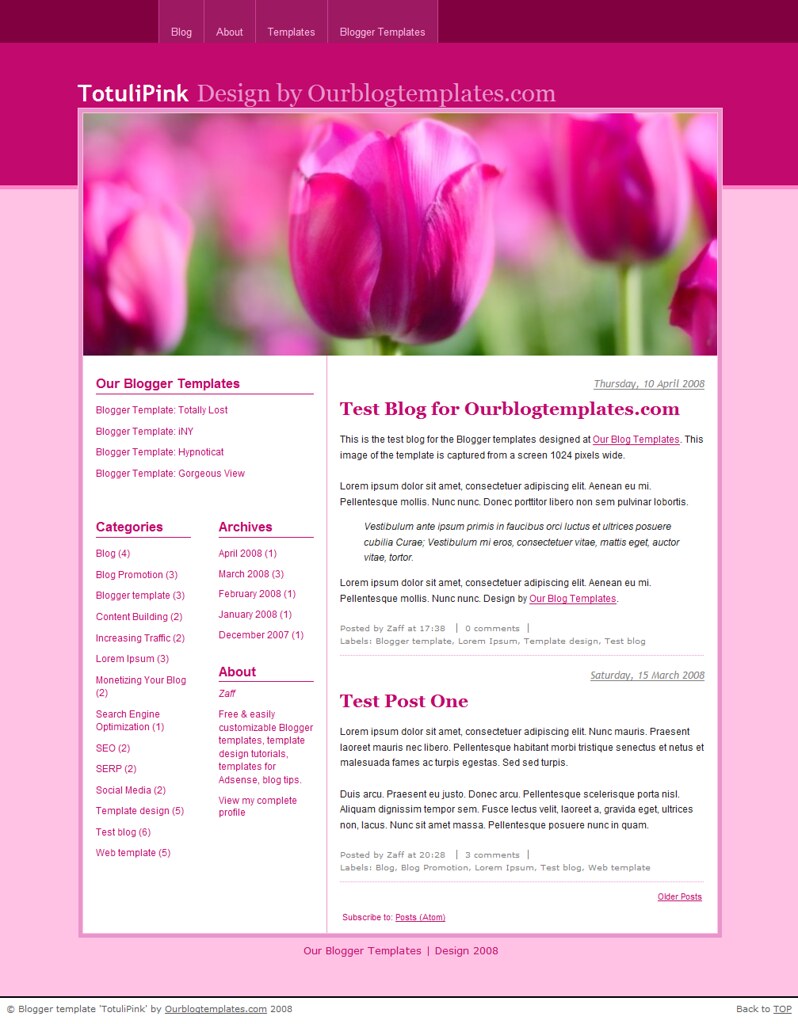
Photoblog


The template image is captured from a 1024 pixels wide screen. This template has 3 'sidebar' columns below the post column. The theme is photoblog - the post column is wide without any other columns next to it. This style is especially great if you want to build a photo blog with lots of large photos and images. Click here to learn how to post large photos and images in your blog.

Header Image
The header image doesn't come with the template file. To put the header image in your blog, left-click on the image below and save the actual size into your computer. Then, upload the image into the Header Page Element in the Layout section of your blog.

Header image credit: adapted from eWallpapers.

If you want to use your own image for the header, the image has to be 920 pixels wide (with any height) to fit the header nicely. Click here for more helpful links on template installation guides and instructions.

Ads
This template was customized so that you can put ads in a lot of places. In addition to the usual sidebar, header, and main columns, you can place long leaderboard-size ads above and below the blog and above the footer. Check out these ads locations in this test blog.
Terms of Use
The template is free but please value our hours of design work by leaving the footer credit to Ourblogtemplates.com intact.

Thursday, April 10, 2008

Blogger Template: TotuliPink


The image is captured from a 1024 pixels wide screen. This template can be completely changed from the Fonts and Colors tab in the Layout panel.

Header image credit: adapted from annia316.

Header Image
The header image doesn't come with the template file. To have the header image in your blog, save this image into your computer. Then, upload the image into the Page Element titled Picture in the Layout section. Do NOT upload the image into the Header Page Element. As per license requirement, give a link to the image provider as mentioned in the credit section above.

If you want to use your own image for the header, the image has to be 800 pixels wide (with any height) to fit the header nicely.

Terms of Use
The template is free but please value our hours of design work by leaving the footer credit to Ourblogtemplates.com intact.

Helpful Links
See these links for more help on using this Blogger template:

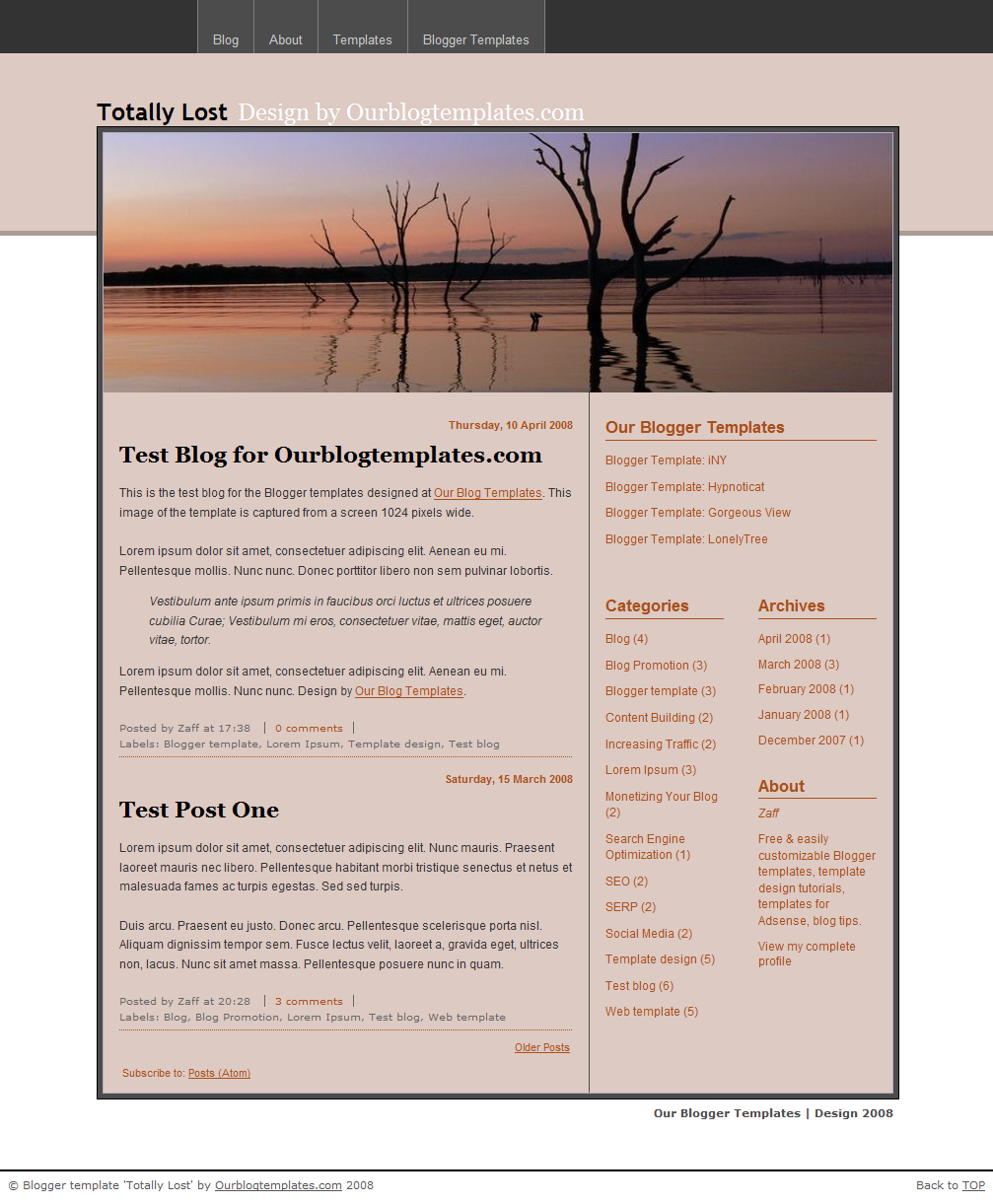
Blogger Template: Totally Lost


The image is captured from a 1024 pixels wide screen. This template can be completely changed from the Fonts and Colors tab in the Layout panel.

Header image credit: adapted from FreeWine.

Header Image
The header image doesn't come with the template file. To have the header image in your blog, save this image into your computer. Then, upload the image into the Page Element titled Picture in the Layout section. Do NOT upload the image into the Header Page Element. As per license requirement, give a link to the image provider as mentioned in the credit section above.
If you want to use your own image for the header, the image has to be 800 pixels wide (with any height) to fit the header nicely.

Terms of Use
The template is free but please value our hours of design work by leaving the footer credit to Ourblogtemplates.com intact.

Helpful Links
See these links for more help on using this Blogger template:

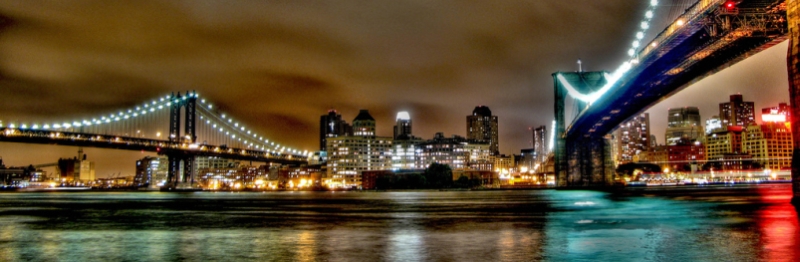
Blogger Template: iNY


The image is captured from a 1024 pixels wide screen. This template can be completely changed from the Fonts and Colors tab in the Layout panel.

Header image credit: adapted from 708718.

Header Image
The header image doesn't come with the template when you first download it. To have the header image in your blog, download this image. Save the image in your computer. Then, go to the Layout: Page Elements section. Upload the image into the Page Element titled Picture. As per license requirement, give credit to the header image provider as mentioned in the credit section above. Note: Do NOT upload the image into the Header Page Element.

If you want to use your own image for the header, the image has to be 800 pixels wide (with any height) to fit the header nicely.

Terms of Use
The template is free but please value our hours of design work by leaving the footer credit to Ourblogtemplates.com intact.

Helpful Links
See these links for more help on using this Blogger template:

Blogger Template: Hypnoticat


The image is captured from a 1024 pixels wide screen. This template can be completely changed from the Fonts and Colors tab in the Layout panel.

Header image credit: adapted from eye of einstein.

Header Image
If you want to use the image shown in the image above, download this header image. Save the image in your computer. Then, go to the Layout: Page Elements section. Upload the image into the Page Element titled Picture. As per license requirement, give credit to the header image provider as mentioned in the credit section above. Note: Do NOT upload the image into the Header Page Element.

If you want to use your own image for the header, the image has to be 800 pixels wide (with any height) to fit the header nicely.

Terms of Use
The template is free but please value our hours of design work by leaving the footer credit to Ourblogtemplates.com intact.

Helpful Links
See these links for more help on using this Blogger template:

Blogger Template: Gorgeous View


The image is captured from a 1024 pixels wide screen. This template can be completely changed from the Fonts and Colors tab in the Layout panel.

Header image credit: adapted from Nicholas T.

Header Image
If you want to use the image shown in the image above, download this header image. Save the image in your computer. Then, go to the Layout: Page Elements section. Upload the image into the Page Element titled Picture. As per license requirement, give credit to the header image provider as mentioned in the credit section above. Note: Do NOT upload the image into the Header Page Element.

If you want to use your own image for the header, the image has to be 800 pixels wide (with any height) to fit the header nicely.

Terms of Use
The template is free but please value our hours of design work by leaving the footer credit to Ourblogtemplates.com intact.

Helpful Links
See these links for more help on using this Blogger template:

Wednesday, April 9, 2008

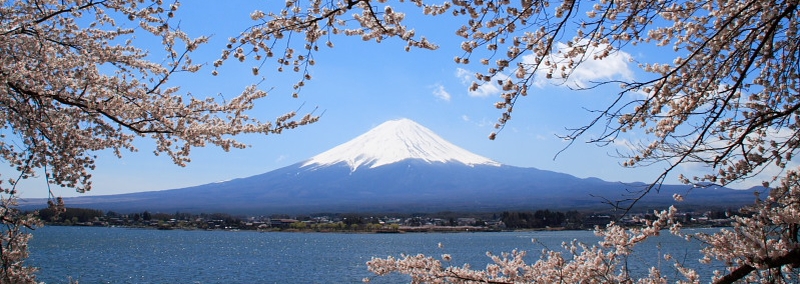
Blogger Templates: Salji Fuji


The image is captured from a 1024 pixels wide screen. This template can be completely changed from the Fonts and Colors tab in the Layout panel.

Header image credit: adapted from skyseeker.

Header Image
If you want to use the image shown in the image above, download this header image. Save the image in your computer. Then, go to the Layout: Page Elements section. Upload the image into the Page Element titled Picture. As per license requirement, give credit to the header image provider as mentioned in the credit section above. Note: Do NOT upload the image into the Header Page Element.

If you want to use your own image for the header, the image has to be 800 pixels wide (with any height) to fit the header nicely.

Terms of Use
The template is free but please value our hours of design work by leaving the footer credit to Ourblogtemplates.com intact.

Helpful Links
See these links for more help on using this Blogger template:

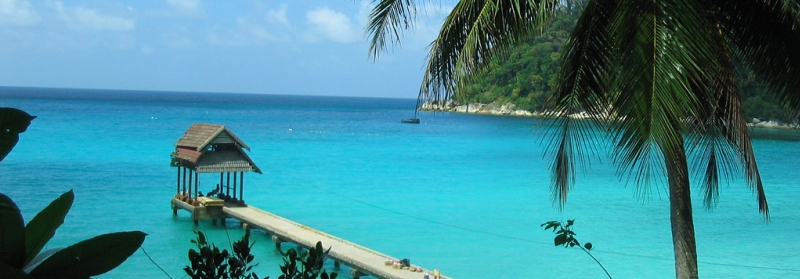
Blogger Templates: Perhentian


The image is captured from a 1024 pixels wide screen. This template can be completely changed from the Fonts and Colors tab in the Layout panel.

Header image credit: adapted from cgreb.

Header Image
If you want to use the image shown in the image above, download this header image. Save the image in your computer. Then, go to the Layout: Page Elements section. Upload the image into the Page Element titled Picture. As per license requirement, give credit to the header image provider as mentioned in the credit section above. Note: Do NOT upload the image into the Header Page Element.

If you want to use your own image for the header, the image has to be 800 pixels wide (with any height) to fit the header nicely.

Terms of Use
The template is free but please value our hours of design work by leaving the footer credit to Ourblogtemplates.com intact.

Helpful Links
See these links for more help on using this Blogger template:

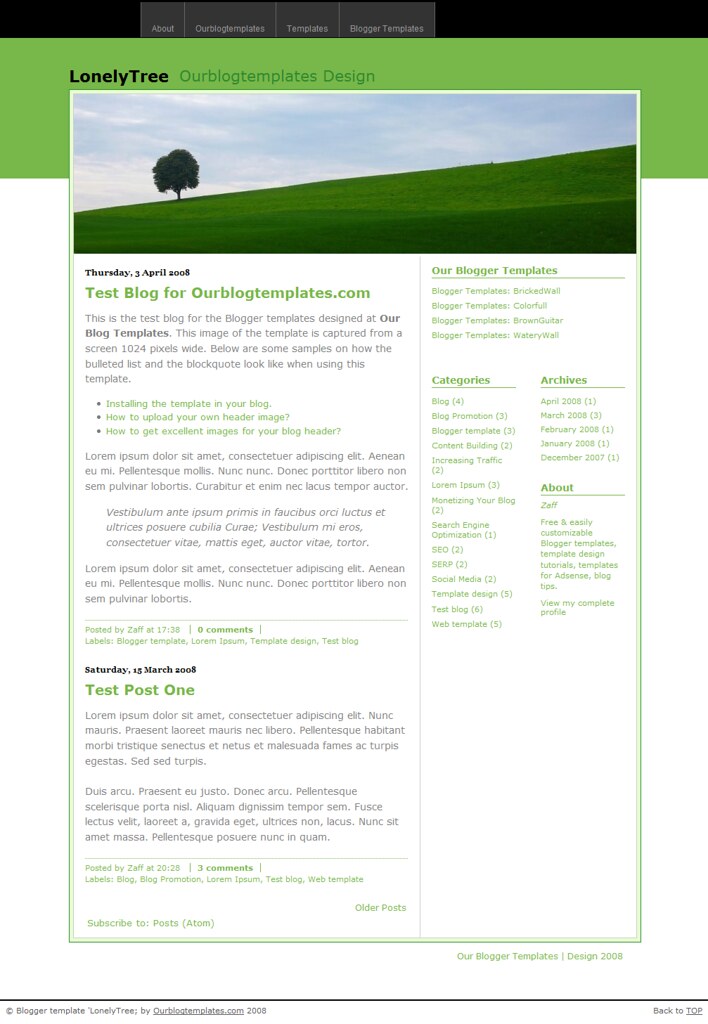
Blogger Template: LonelyTree


The image is captured from a 1024 pixels wide screen. This template can be completely changed from the Fonts and Colors tab in the Layout panel.

Header image credit: adapted from helmet13.

Header Image
If you want to use the image shown in the image above, download this header image. Save the image in your computer. Then, go to the Layout: Page Elements section. Upload the image into the Page Element titled Picture. As per license requirement, give credit to the header image provider as mentioned in the credit section above. Note: Do NOT upload the image into the Header Page Element.

If you want to use your own image for the header, the image has to be 800 pixels wide (with any height) to fit the header nicely.

Terms of Use
The template is free but please value our hours of design work by leaving the footer credit to Ourblogtemplates.com intact.

Helpful Links
See these links for more help on using this Blogger template:

Tuesday, April 8, 2008

Blogger Templates: BrownGuitar


The image is captured from a 1024 pixels wide screen. This template can be completely changed from the Fonts and Colors tab in the Layout panel.

Header Image
If you want to use the image shown in the image above, download this header image. You must register and login first to download the large image. Save the image in your computer. Then, upload the image onto your blog header in the Layout: Page Elements section. As per license requirement, give credit to the header image provider by linking to Free Web Page Headers.

If you want to use your own image for the header, the image has to be 800 pixels wide (with any height) to fit the header nicely. Move the Blog Title & Description around the header if it's not visible after you've uploaded your own header image.

Terms of Use
The template is free but please value our hours of design work by leaving the footer credit to Ourblogtemplates.com intact.

Helpful Links
See these links for more help on using this Blogger template:
Template header image credit: Free Web Page Headers.
Template background image credit: GRSites.